
Studio
A dense, near-black workbench for agent chats: quiet chrome, compact rows, a boxed prompt.
Manaflow· 0 downloads · 0 stars· v1.0.1
A dense, near-black workbench for agent chats: quiet chrome, compact rows, a boxed prompt. An example look built only from public cmux surfaces.
Studio
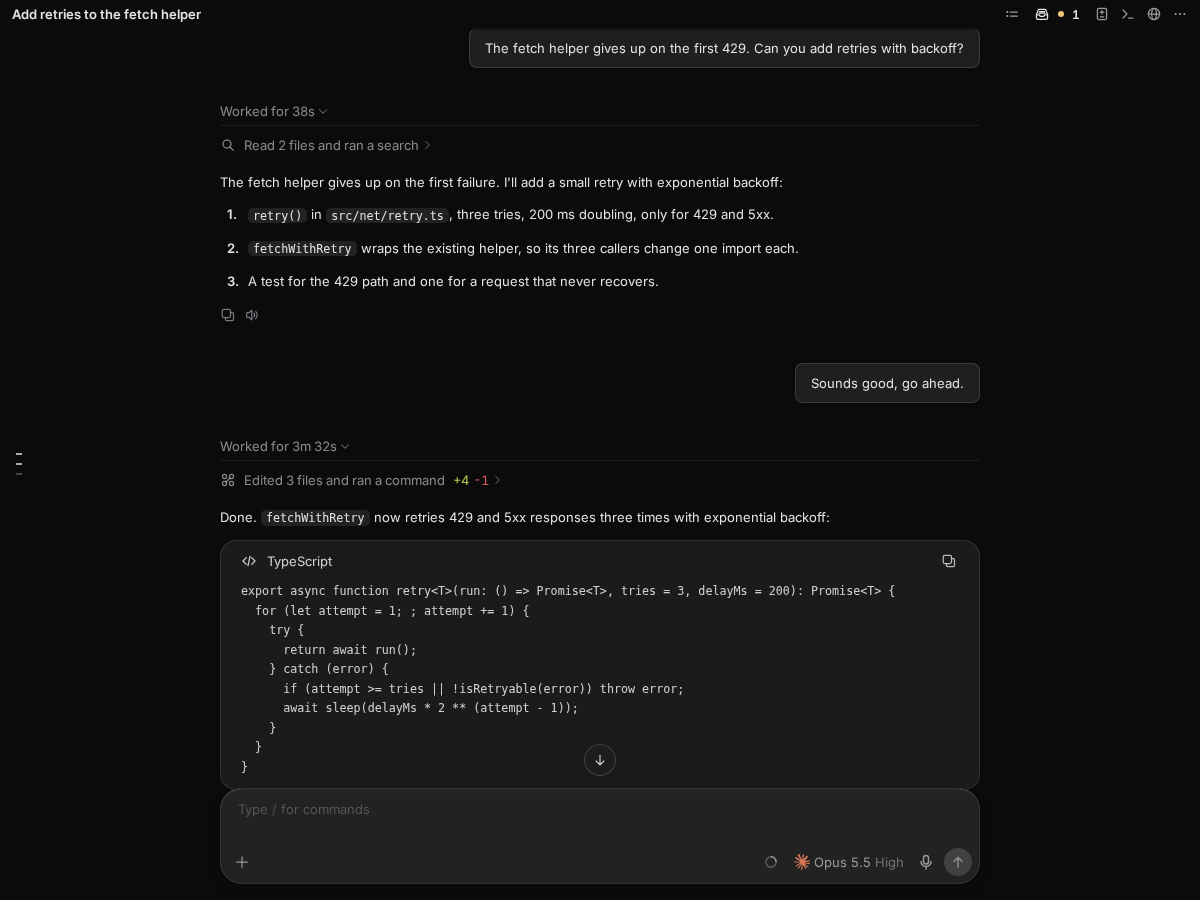
A dense, near-black workbench for agent chats in cmux: quiet neutral chrome, a hairline between the sidebar and the chat, compact rows, and a boxed prompt with square-ish corners.
Studio picks a near-black theme, but its chat stylesheet is made only from the theme's own colors,
so agent-pane/theme.css on its own reads over a light theme as well as a dark one (WCAG AA,
checked in both).
It is built only from public surfaces, so you can copy any part of it:
| File | What it does |
|---|---|
cmux-setup.json | Picks the theme file; sets the chat's font, size and width and the sidebar's density and row facts |
themes/studio.json | The colors, surfaces, borders and density |
agent-pane/theme.css | The prompt bubble and cards, with cmux.agentPane.style/1 tokens only |
customize/ | A terse hover card and plain sidebar rows with a dot while work runs |
cmux setup install github.com/manaflow-ai/cmux-studio-look
cmux setup remove manaflow-ai/studio-look
While it is installed, its customize/ view stands in for your own sidebar view, if you have one;
cmux setup remove puts yours back.
How looks like this one are written: look-addons.md.