
cmux TUI
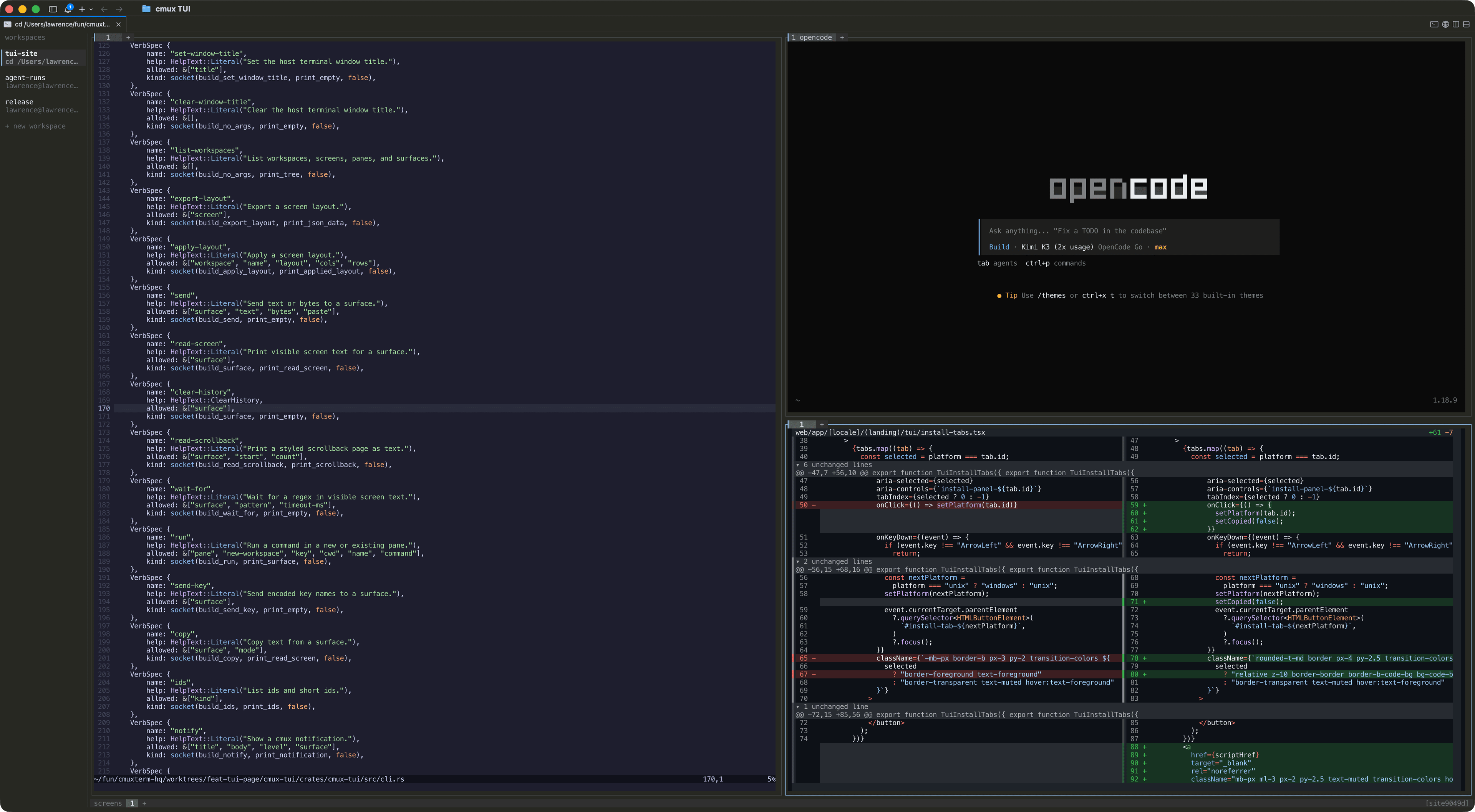
cmux TUI is a Rust terminal multiplexer for macOS, Linux, and Windows. It combines workspaces, screens, split panes, terminal tabs, browser tabs, remote sessions, and a control socket in one process.
Install and run
The install scripts select the native binary for your operating system and architecture, verify its SHA-256 checksum, and add cmux to your PATH.
curl -fsSL https://cmux.com/tui/install.sh | shIf Node.js is already installed, you can run cmux without installing it permanently:
npx cmuxThe workspace model
cmux TUI keeps one durable tree instead of flattening every process into an unrelated terminal tab.
session
└── workspaces
    └── screens
        └── panes
            └── tabs (terminal or browser surfaces)
A session owns one control socket. Each workspace can contain multiple screens; each screen owns a pane layout; each pane can contain terminal and browser tabs. Closing a tab does not close its pane when other tabs remain.
Keyboard and mouse
The default prefix is Ctrl-b. Press it twice to send a literal Ctrl-b to the active terminal.
| Keys | Action |
|---|---|
| Ctrl-b % | Split the active pane right |
| Ctrl-b " | Split the active pane down |
| Ctrl-b t | Create a terminal tab |
| Ctrl-b W | Create a workspace |
| Ctrl-b s | Show or hide the workspace rail |
| Ctrl-b d | Quit locally or detach from a server |
Click pane borders, tabs, workspaces, and screens directly. Right-click a pane for actions. Hold Shift while right-clicking when the application inside the pane owns mouse input.
Headless sessions and attach
Headless mode keeps the mux backend and its terminals running without a local interface. Attach from another terminal when you need the UI.
cmux --headless --session agents
cmux attach --session agents
The default session is main. Named sessions use separate Unix sockets. Detaching leaves a headless server running, so a later attach restores the same tree and terminal state.
Remote machines
Enable the machine rail to switch between the current session and configured Unix-socket or SSH targets.
{
  "machine_sidebar": { "enabled": true },
  "machines": [
    {
      "id": "buildbox",
      "name": "Build box",
      "transport": "ssh",
      "host": "dev@buildbox",
      "session": "agents"
    }
  ]
}
The remote machine must already run a headless cmux session, and noninteractive SSH must find the cmux binary. cmux uses strict host-key checking and disables agent forwarding and port forwarding.
Browser tabs
A browser tab controls a real Chrome or Chromium target through the Chrome DevTools Protocol. Profiles persist between sessions, so cookies and sign-ins can remain available. Open a browser tab with:
Ctrl-b BAutomation and the control socket
Every tree mutation and inspection used by the TUI is also available through the command line and JSON-lines control socket.
cmux --session agents workspace list --json
workspace_id="$(cmux --session agents workspace create --name review --json | jq -r '.value.workspace_id')"
cmux --session agents workspace "$workspace_id" run -- npm test
cmux --session agents terminal <terminal-id> screen read
Commands can create workspaces, run processes, split panes, send input, read visible terminal text, subscribe to events, and report agent state. Typed bindings live in the repository for TypeScript, Python, Go, Java, and Rust.
Configuration
Configure keys, sidebar width, machines, browser behavior, startup commands, and theme values in the TUI config file. CMUX_TUI_CONFIG overrides the default path.
~/.config/cmux/cmux-tui.json